Gigabyte GA-X79-UD3 NVMe Support
I built my main PC back in... rummages through years of order history... 2014! That's a crazy long time. I've had no reason to replace it, it does everything I need and just keeps going. In that time I've made changes, upgraded RAM, done some light overclocking and switched from spinning HDDs to SSDs.
In fact, it was a little more complicated than just SSDs. My primary storage where the OS lived was a RAID-0 array of two Samsung 840 SSDs, I wanted the highest possible speed and added additional RAID-1 storage for important data.
Testing this setup now achieves sequential reads and writes of ~890MB/s and ~130MB/s respectively. The writes are about what you would expect for this drive. The reads, though, are nearly double. This is the benefit of RAID-0, the reads can be parallelised across multiple drives.
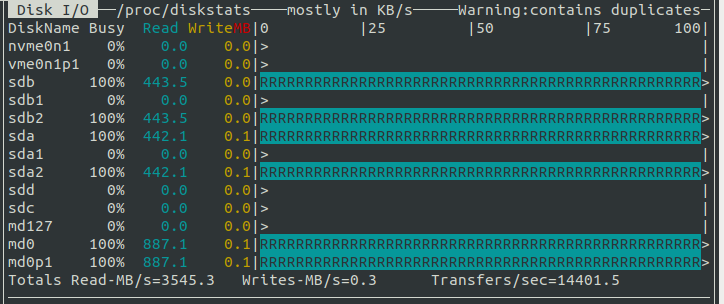
When I built my work PC, many years later, I had my eyes opened to the ridiculous speeds which can be achieved with NVMe. Forget MB/s, try GB/s.
I wanted to replace the ageing, and risky, RAID0 array in my main PC with an NVMe drive. As you've probably already guessed, my 12-year-old X79-UD3 motherboard didn't have the required M.2 connectors. I had seen that it was possible to get PCIe to M.2 daughter boards. I grabbed one, and it seemed to 'just work', the NVME drive showed up like a normal storage device and can be formatted etc. However, I was unable to boot from it.
The limiting factor was the BIOS. The device didn't show up in the list of boot options. As far as I understand, the BIOS needs to include specific drivers to allow booting from NVMe devices. I'd hoped that Gigabyte had released updated BIOS firmware which added support, but alas, the latest was from 2015.
End of story right? Toss the perfectly working motherboard and CPU to get faster storage? Nah. What if there was another way?
Custom Firmware
Turns out there are whole communities of people who build custom BIOS firmware versions, adding patches and support for things exactly like NVMe.
I came across two posts which link to modded versions of the official X79-UD3 F20 firmware to add NVMe support. Was it sketchy running custom firmware you've downloaded from the internet? Yup. Was I gonna give it a go anyway? Yup!
The one I settled on is this one from 2023:
I have modded the original F20 BIOS myself by inserting the NVMe module named NVMexpressDxe_5.ffs.
The process is exactly the same as a normal BIOS flash, copy the file to a USB memory stick, hit End on boot
to enter the QFlash utility and follow the instructions. The only thing of note was that it's recommended
to rename the custom firmware file to exactly match the official one: X79UD3.F20
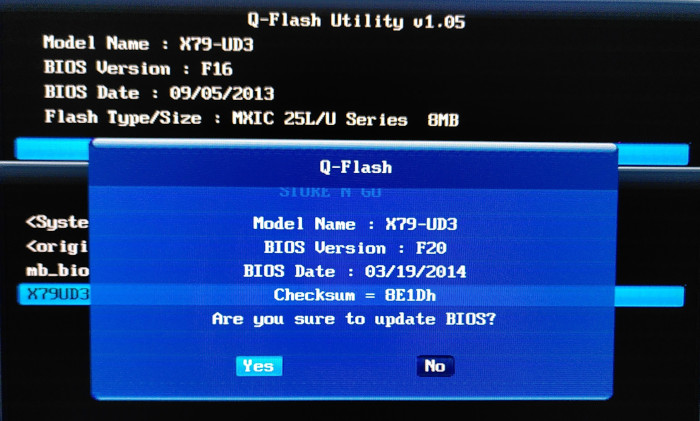
It was odd that it showed the date as 19 March 2014. I assume the date is hardcoded into the firmware and wasn't changed as part of the mod.
The only thing which seemed different in the BIOS was that the HDD boot list now contained a rather cryptic entry
PATA: SS. Turns out this is the NVMe drive.
I installed a fresh copy of Ubuntu 24.04 to the NVMe drive and was able to boot from it 🎉